The Plugin That Does the Boring Part of Vocal Production
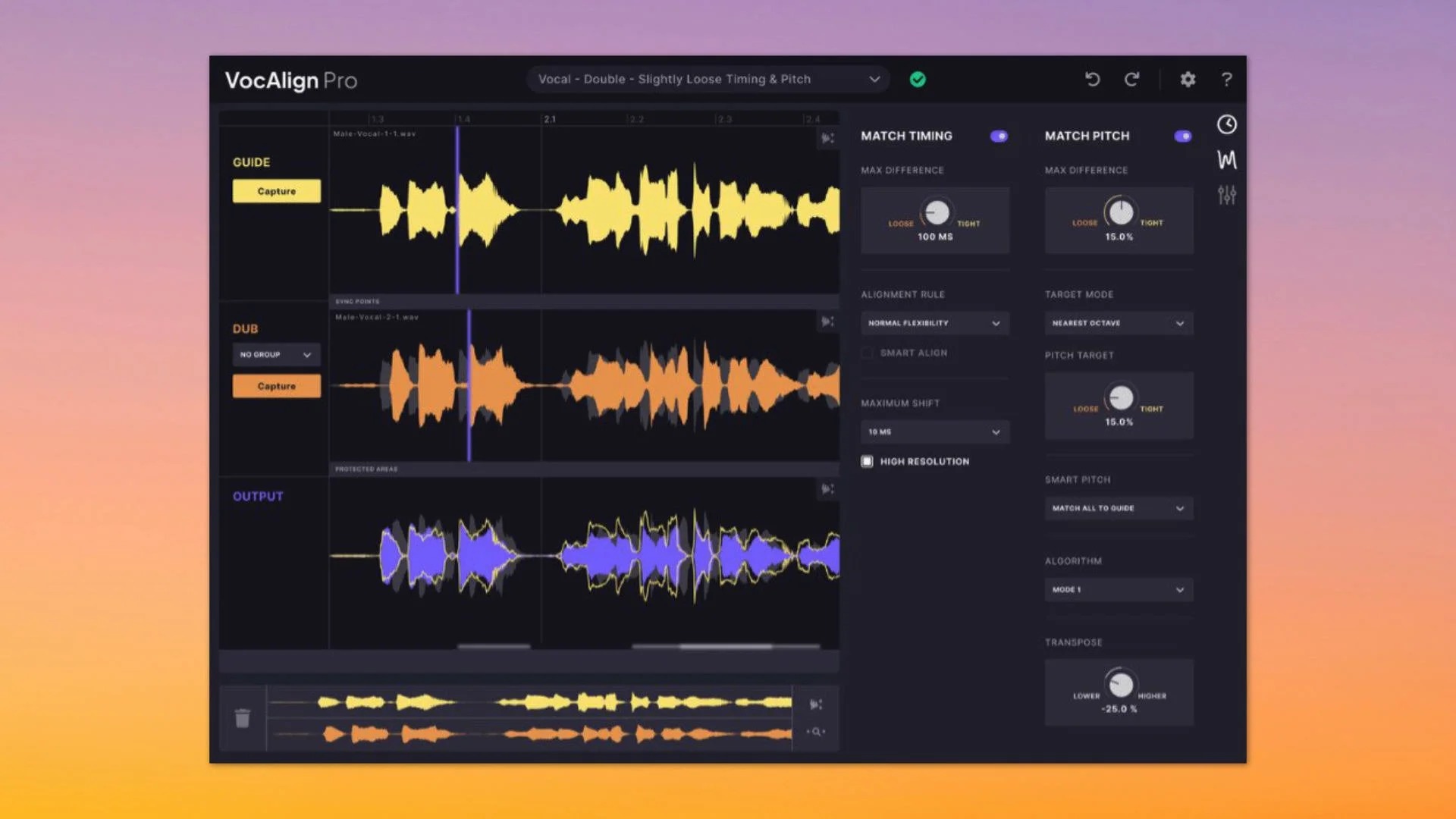
If you have ever zoomed way in on a waveform to nudge a double vocal into place by hand, then done it again for the harmony, then again for the gang vocal stack, you already know why VocAlign exists. It listens to a guide vocal, listens to the track you want to line up with it, and moves the timing of the second one to match. Then you get your evening back.
Synchro Arts launched VocAlign 6 on June 10, 2024, and it is more than a face-lift. The old Project and Ultra versions are gone, replaced by VocAlign Standard and VocAlign Pro, with a new dark interface, undo and redo, and (in Pro) two headline features called SmartPitch and Process Groups.
I’ve been using VocAlign Pro 6 in Cubase Pro 13 and Logic Pro, on lead doubles, gang vocals, backing vocals and harmonies. I used VocAlign Ultra before this, so I came in knowing what the plugin does. Spoiler: the part that matters worked almost every time. Let’s dive right in, shall we?
Quick Specs
- Editions: VocAlign Standard and VocAlign Pro
- Price at launch (June 2024): Standard $149, Pro $349, with upgrade discounts for owners of earlier VocAlign versions
- Plugin formats: VST3, AU and AAX (64-bit)
- ARA hosts: Pro Tools 2024.6 or later, Logic Pro, Cubase Pro 13 or later, Nuendo 13 or later, Studio One, Cakewalk and LUNA 2.0 or later
- Other DAWs: Ableton Live, FL Studio, Reaper, Bitwig Studio, Digital Performer, Reason and Samplitude run it with the capture workflow. Cubase Elements has no ARA, and Cubase AI and LE are not supported
- Operating systems: Windows 10 or later, and macOS on Intel and Apple silicon Macs
- Free trial: available from Synchro Arts
What’s Actually New in VocAlign 6
According to Synchro Arts, here is what changed:
- Two editions: VocAlign Standard replaces VocAlign Project, and VocAlign Pro replaces VocAlign Ultra.
- Process Groups (Pro): apply alignment settings across all your layered vocals at once.
- SmartPitch (Pro): pitch matching that is meant to understand when to match the guide and, importantly, when to leave a harmony alone.
- Improved Sync Points (Pro): a better algorithm for more accurate processing.
- New interface: a dark theme, better scrolling and zooming, and collapsible feature panels.
- Undo and redo: built in.
- Arm Capture All: one click to capture every track in a session, for DAWs that don’t use ARA.
- Pro Tools ARA support: announced at the June 10, 2024 launch as coming in a future Pro Tools release, and delivered in Pro Tools 2024.6 on June 20, 2024.
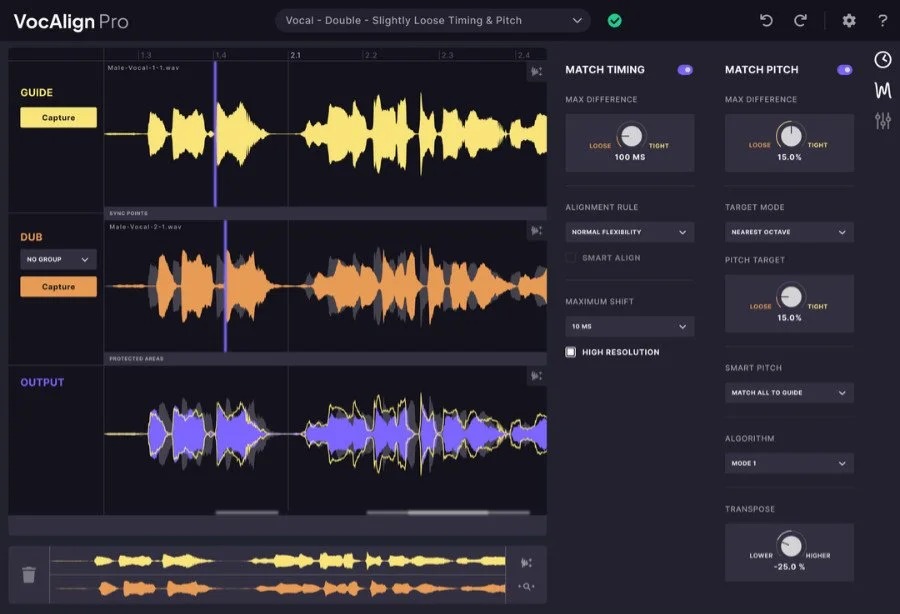
VocAlign 6 SmartAlign: The Reason You Own It
Both editions are built around SmartAlign, which lines up multiple clips to your guide track with no pre-editing. Pick your guide, grab your doubles, hit process, and listen.
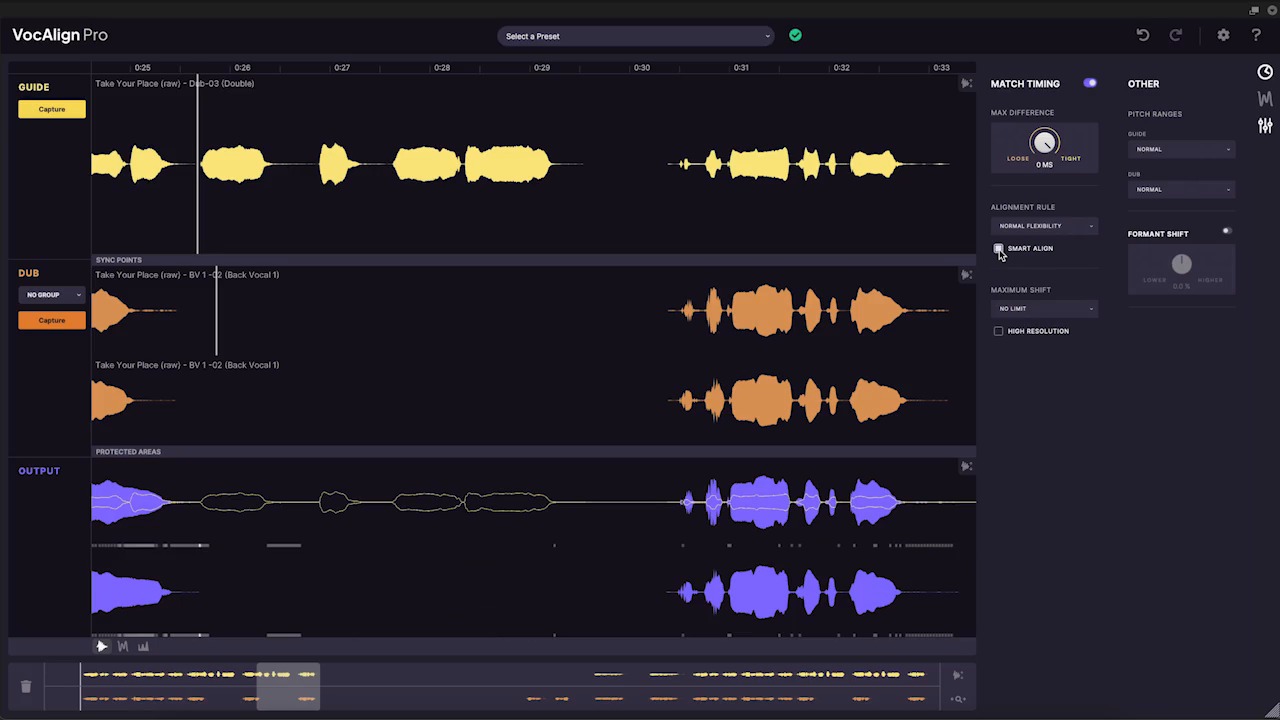
In my time with it, that worked about 95% of the time. I’m not rounding up there: the vast majority of the vocals I threw at it came back lined up and ready to go.
Tightness Control is where you decide how far the plugin pulls things. Pull everything into perfect lockstep and you get that tight, modern, almost sampled-sounding double. Back it off and a bit of human slop stays in.
VocAlign 6 ARA in Cubase 13 and Logic Pro: Why I Never Went Back to Capturing
I ran VocAlign through ARA in both Cubase Pro 13 and Logic Pro, every time. ARA lets the plugin work directly on the audio in your DAW’s timeline instead of making you capture audio into the plugin first. It is simply faster and more convenient, and I never had a reason to leave it. Because I stayed on ARA, I didn’t use the capture workflow or the new Arm Capture All button.
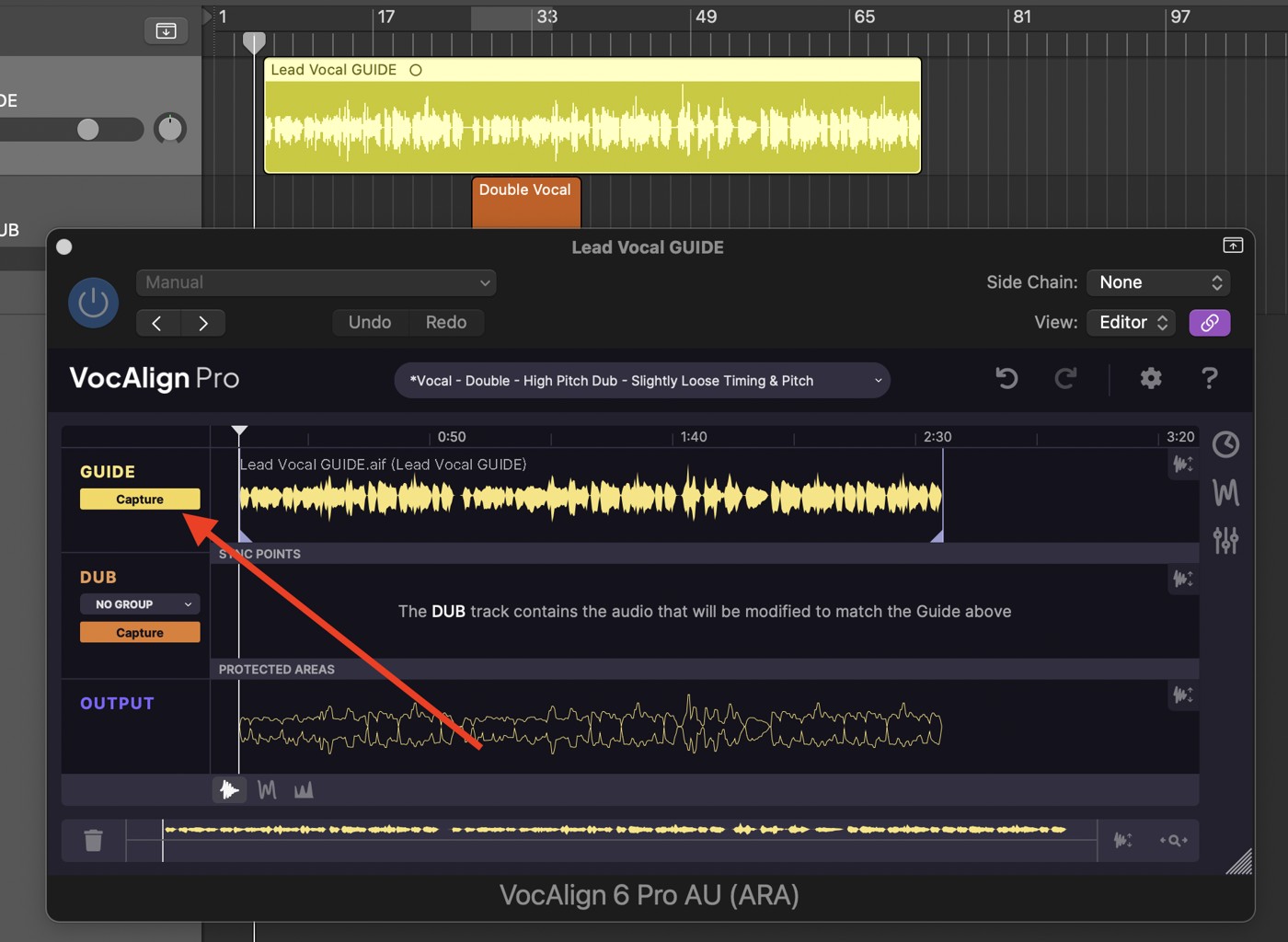
ARA support depends on your DAW version: Cubase needs version 13 or later. On an Apple silicon Mac, Logic Pro has to run in Rosetta mode to use the ARA plugin.
I had no crashes and no issues at all.
Process Groups and SmartPitch (Pro)
This is where Pro earns its extra money on paper.
Process Groups let you change settings for several dub tracks together instead of tweaking each one separately.
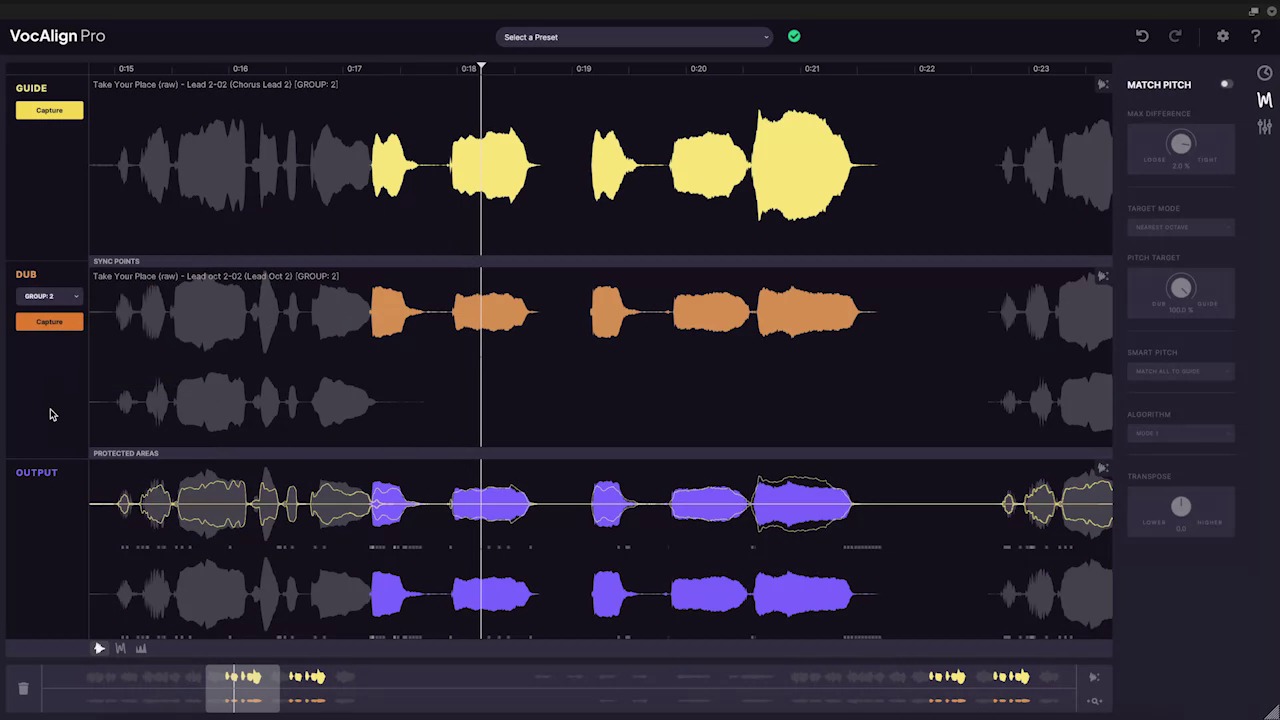
SmartPitch applies the pitch of your guide vocal to the other tracks, so you are not pitch-correcting the same line over and over. I didn’t try it, so I can’t tell you how well it works.
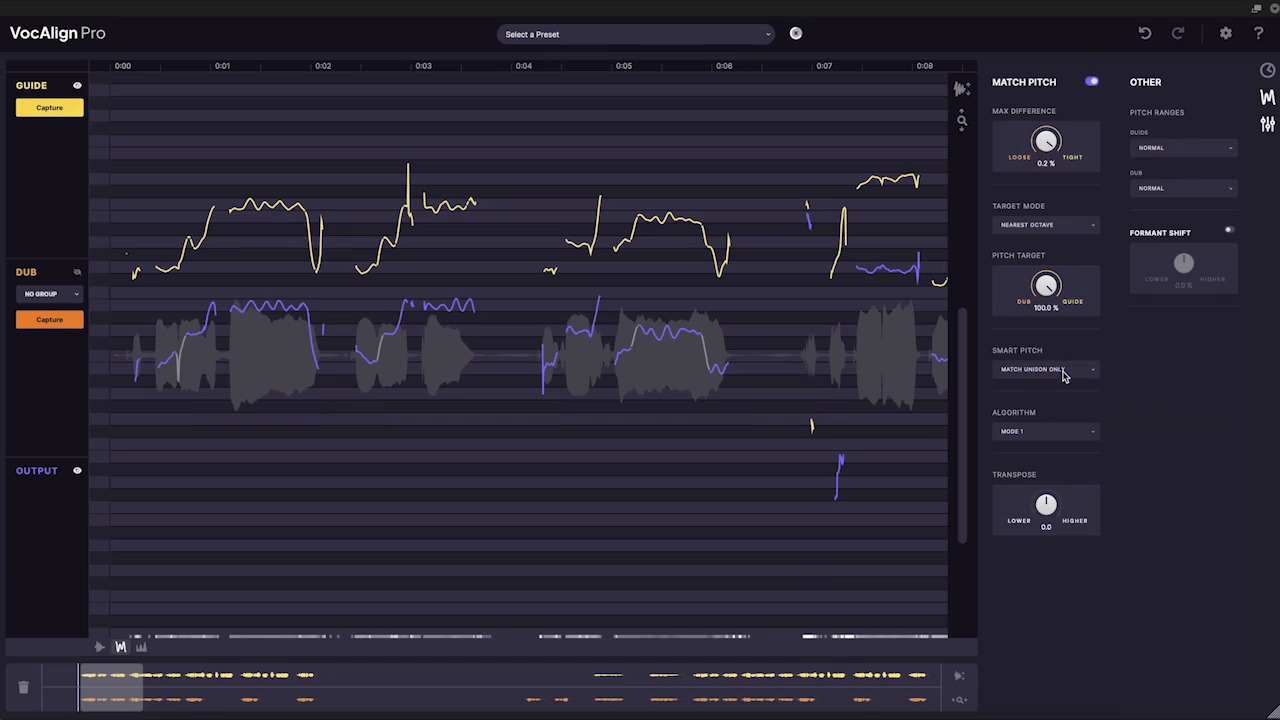
Pro also includes formant shifting and transpose for creative vocal processing, and SynchroLink connects VocAlign Pro with the RePitch Standard tuning plugin in a bundle.
Real-World Heavy Vocal Moves With VocAlign 6
Here is how I used it on heavier material:
- Lead doubles: guide set to the main take, doubles aligned so they sit like one huge vocal without sounding copied and pasted.
- Gang vocals: the whole stack aligned to a single guide so the shouts hit together with the snare and the riff, not a few milliseconds apart.
- Backing vocals and harmonies: aligned to the lead so they land in the pocket.
The big win is the same one I get from any good workflow tool: less time fighting the waveform, more time making decisions about the song. I didn’t try it on guitars or any other instrument, so this is a vocal review.
How VocAlign 6 Compares to VocAlign Ultra
I used VocAlign Ultra before this, and honestly, I didn’t notice a big difference between it and 6 Pro in the alignment itself. The case for upgrading rests on the new Pro features (Process Groups, SmartPitch, the improved Sync Points), the redesigned interface and undo and redo, not on a dramatic jump in how well it lines things up. If all you ever use is timing alignment, weigh that before you spend money.
The Quirks You Should Know About VocAlign 6
- It doesn’t catch everything: about 5% of the time, a vocal track was just too far off for VocAlign to fix. That was rare, so it’s not a dealbreaker, but don’t expect magic on a really sloppy take.
- The best features are Pro-only: Process Groups, SmartPitch and the improved Sync Points are all in Pro, not Standard.
- ARA depends on your DAW: Cubase needs 13 or later, and Cubase Elements has no ARA at all.
- Your guide track still matters. VocAlign matches one vocal to another, not to the music, so if the guide is off the grid, the dubs will be too.
VocAlign 6 Pricing and Value
At its June 2024 launch, Synchro Arts priced it like this:
- VocAlign Standard: $149
- VocAlign Pro: $349
- Upgrades: discounts for existing VocAlign owners
If you spend your days on lead vocals and the occasional double, Standard probably covers you. If your sessions are full of backing vocals and harmonies, Pro is where the extra features are. If you already own Ultra, upgrade for the new features, not for better alignment.
Verdict
VocAlign 6 is a refinement of a tool that was already a staple in vocal production, and for me the core job is done: it lined up lead doubles, gang vocals, backing vocals and harmonies about 95% of the time, through ARA in Cubase Pro 13 and Logic Pro, with no crashes or issues. The main caveat is that the headline new features are Pro only, and I can only vouch for the alignment, not for SmartPitch.
If you track and mix layered vocals regularly, especially heavy music with doubles and gang shouts, this is worth a serious look. If you only record a lead vocal now and then, you might not need it, and Standard might be plenty. If you already own Ultra, you won’t hear a big jump in alignment quality.
That’s it for this one, Gear Mortals. Thanks for reading.