The Hands-On Console You Can Actually Fit in Your Studio
I live in the world of music production, and I spend a ridiculous amount of time inside DAWs, sculpting mixes for bands, making records, and teaching others how to do the same in Spectre Academy.
Over the years, I’ve tried plenty of control surfaces and mixing ecosystems, but none have felt like a true replacement for working on a real console…until now. The Softube Console 1 Mixing System brings back that hands-on speed and musicality, along with the sonic character of classic analog desks, all without needing to knock down a wall in your studio or take out a second mortgage. After years of working with other controller setups (including SSL’s), I finally spent real time with the Console 1 system, and it’s completely changed the way I mix ITB (in the box)… not just faster, but significantly better.

Why This Isn’t Just Another Controller
Most “mixing surfaces” I’ve tried look the part, but they either feel like cheap plastic toys or they’re so generic and devoid of real-world functionality, you’re back on the mouse in five minutes.
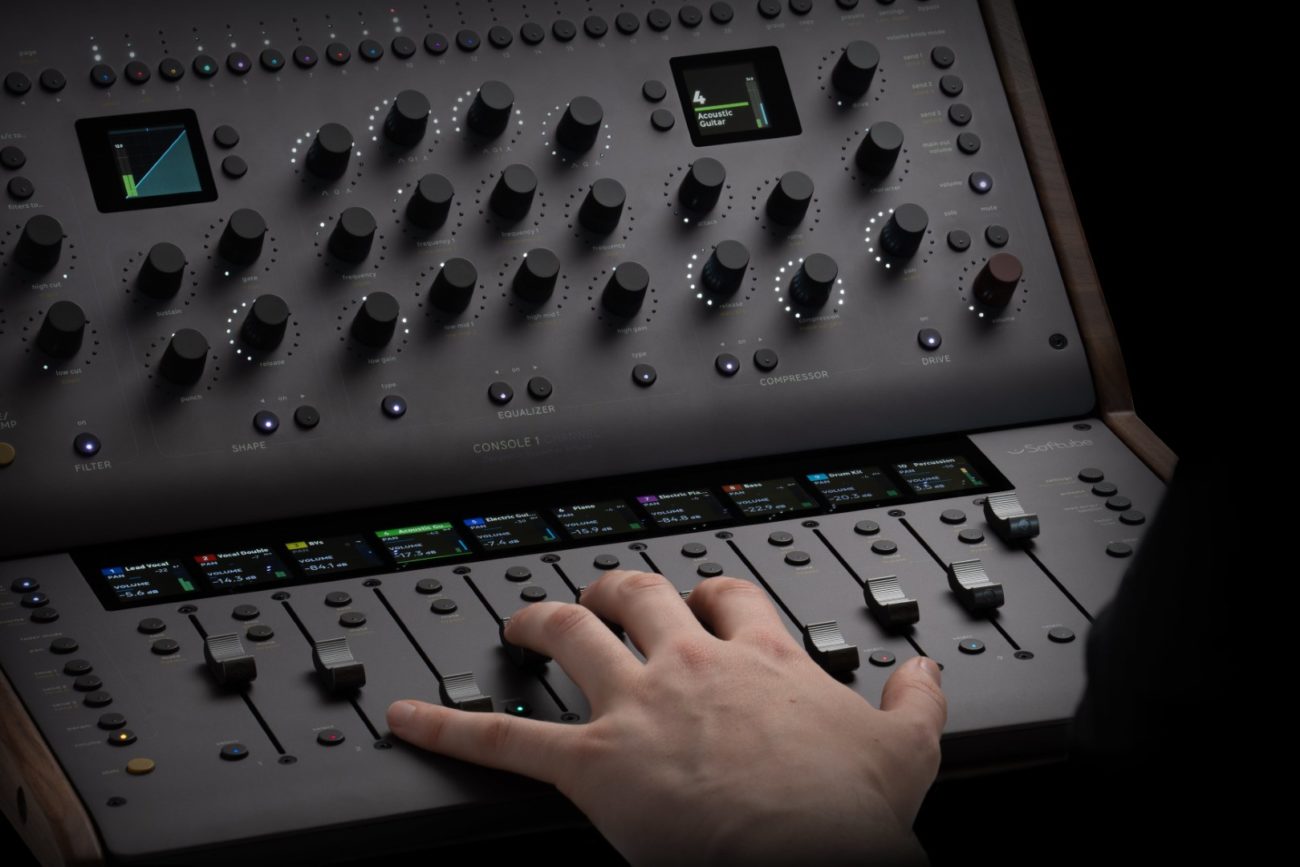
The Softube Console 1 Mixing System, made up of the Channel Mk III and Fader Mk III, is different because it doesn’t just control your DAW. It becomes your console. You stop scrolling. You stop clicking. You start listening. And the way you mix changes. not just faster, but better.
The First Session: That “Ohhh” Moment
When I first set it up, I loaded my mix template, dropped the Console 1 plugin on every track, and started with drums. My right hand was on the kick fader, my left hand boosting 6 kHz on the Channel unit, and I found the perfect balance in seconds. No plugin windows, no cursor hunting.
With a mouse, that’s a dozen clicks and two or three mental gear shifts between “technical” and “creative” thinking. With Console 1, it’s one continuous motion. You react to the sound in real time, the way you would on a real desk.
Mixing Better, Not Just Faster
The real magic isn’t just speed, it’s focus. With mouse-only mixing, half your brain is managing the interface:
- Where’s the cursor?
- Which plugin is open?
- Which track is selected?
With Console 1, the layout is fixed. Every EQ knob, every compressor control, every fader is exactly where your hands expect it to be. That frees your brain to focus entirely on tone and balance. It also makes you experiment more, because there’s zero friction to trying something.
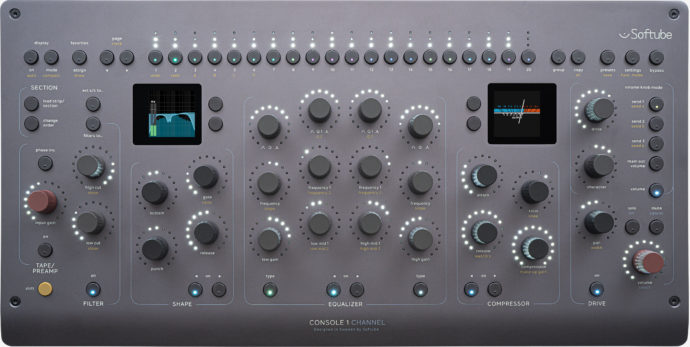
The Hardware in Action
Channel Mk III — The Sculptor
Knob-per-function means you never hunt for parameters. Input gain, filters, EQ, compression, drive — all right there, always in the same place. Sweeping for problem frequencies with your eyes closed is not just possible, it’s natural.
Fader Mk III — The Performer
This is where you “play” the mix. Automation rides become a performance, pushing the vocal into a chorus, swelling the verb tail on a solo, nudging the kick up in a blast beat without stopping playback. Bank between tracks instantly and keep the low-end relationship between bass and drums dialed in without touching a mouse. This subtle but significant difference changes your role from Mixing Engineer to Mixing Artist!
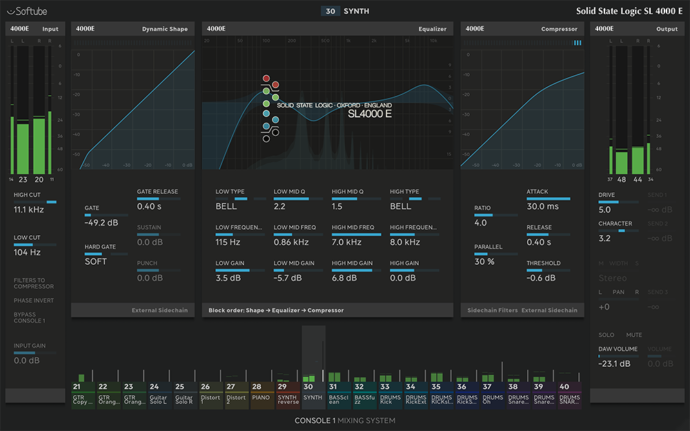
Console Models: Sonic Personality on Demand
Softube offers a range of console flavors, but for this review, I focused on three that made the biggest impact in my workflow:
- SSL 4000: Aggressive punch for drums and guitars.
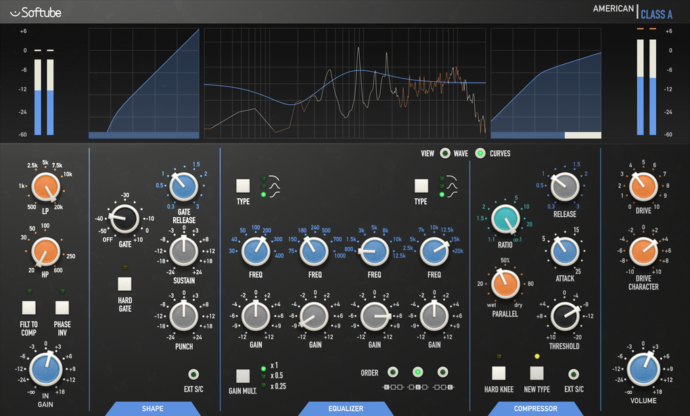
- API: Tight, forward midrange with punchy transients — perfect for drums, percussion, and aggressive rhythm guitars. Adds a sense of “snap” that can make dense mixes feel more alive.
- Weiss Gambit: Transparent fixes without tonal change.
Because it’s all tactile, you can A/B console flavors mid-mix without losing flow.
Real-World Metal Session Moves
In a recent metal production, this is what I did with them:
- SSL 4000 on drum shells for chest-thump punch.
- API on the drum bus for that snappy, forward midrange that makes fast double-kick parts and snare accents pop through dense guitars.
- Weiss Gambit on the mix bus for transparent control, gentle wide‑Q EQ to calm low‑mid buildup, a touch of clean compression to catch peaks, and subtle high‑shelf polish without changing the character.
Where It Beats SSL’s Controllers
I used to run the SSL UC1/UF8 system, and while I liked aspects of it, there are big reasons I’ve switched:
Out-of-the-Box DAW Integration
In Cubase and Logic, Console 1 integrates fully the moment you install the software. Track selection, solo/mute, faders, pan, sends, meters, all just work. You don’t have to put the Console 1 plugin on every track to control it.
With SSL, you’re basically forced to insert their channel strip plugin on every single track just to make the most out of the hardware. Even if you’re not using the EQ or compressor. That eats CPU, clutters inserts, and slows down setup.
Stability
The biggest SSL dealbreaker for me was stability. Just 30 instances of any SSL channel strip plugin in a project were enough to crash Cubase or Logic about half the time, even with low CPU usage. SSL has been trying to troubleshoot it with me for almost two years, but they can’t reproduce it. I seem to be in a small minority, but when it happens mid-project, “minority” doesn’t matter, unfortunately.
By contrast, I can load 100+ tracks with the Console 1 plugin and keep the project rock solid. No random hangs. No “save every 15 seconds” paranoia.
Plugin Flexibility
SSL’s ecosystem feels more closed off. Console 1 lets you load supported FabFilter, UAD, and Plugin Alliance plugins right into the channel strip. Yes, some advanced parameters aren’t mapped (more on that below), but the system is far more open.
The Quirks You Should Know About Console 1
- Plugin State Glitch on Project Load: Occasionally, a track’s channel strip doesn’t fully load until I open the plugin window. Seems tied to third-party plugins.
- One-Way Control at First: Out of the box, my hardware only reflected Cubase moves but didn’t control them. I tried for days to fix it, re-installing, restarting, and nothing worked. For some reason, it fixed itself after I opened Logic Pro and tested it in there to see if it worked. It worked right away with no issues. And after that, it started working correctly in Cubase too.
- Full Restart Every Few Days: The hardware/software sometimes stops responding entirely every couple of days. The only fix is a full Mac restart. I have no idea why, and I can’t seem to find a solution for it.
- Value Mismatch: A hardware move to -6.0 dB might show as -5.87 dB in the DAW. Same with some knob parameters. Small, but annoying when you want exact values.
- Limited Third-Party Mapping: UA’s Studer plugin, for example, is missing HF Bias, Hiss, etc., and you can’t map them yourself. This is common with many third-party integrations.
- Disabled Tracks Still Show: In big sessions, Console 1 still lists disabled tracks as empty slots, forcing you to scroll through them. For example, I had 30 disabled tracks, and I had to go through them all to get to the tracks I wanted while mixing.
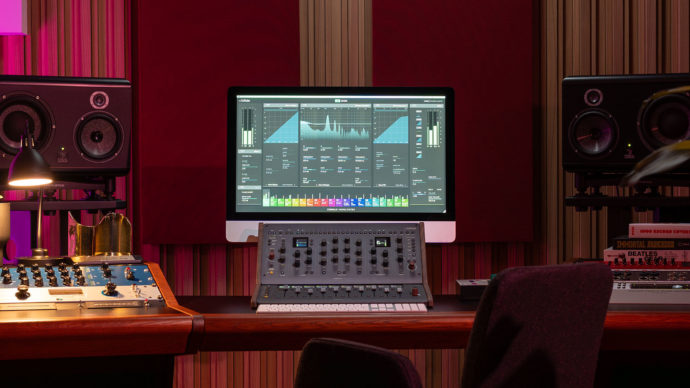
Verdict: Still a Game Changer
Even with the quirks, Console 1 has fundamentally changed the way I mix. I’m not clicking, I’m not scrolling, I’m not stuck in technical mode. I’m reacting to music in real time.
Compared to my old SSL setup, it’s more stable, less CPU-hungry, integrates faster, and works with more of my existing plugin arsenal. And most importantly, it makes mixing feel like mixing again… oh, and my mixes have improved massively after just a few short weeks with the Console 1.
A workflow-shaping tool that makes you faster and better. Worth it for any serious mixer who wants the feel of a console without having to take out a second mortgage to acquire one.